


01 / Message
Write an offer visitors act on.
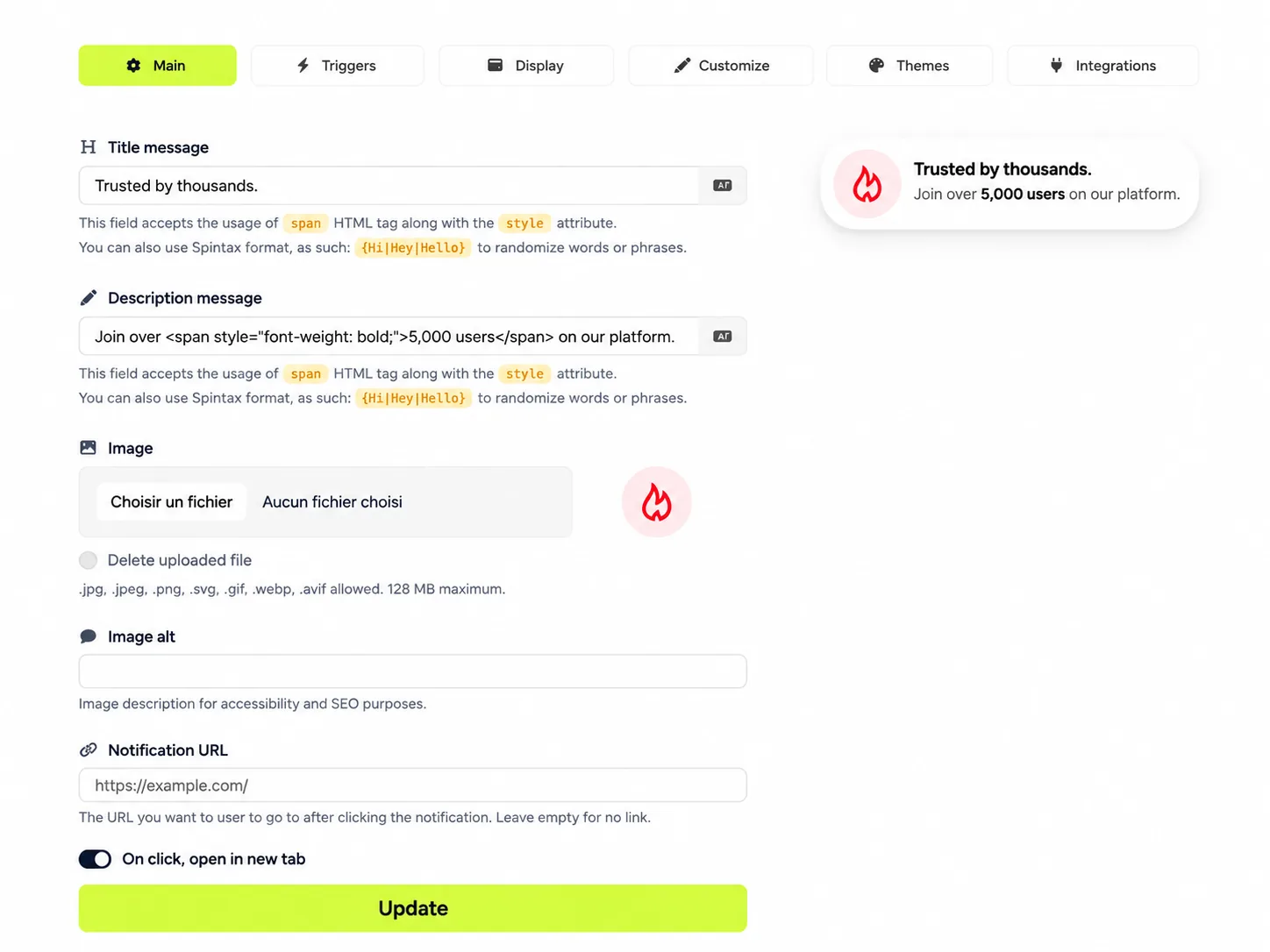
MainTitle, description, button, image and destination URL. The live preview shows what shoppers see, so you publish an offer that earns the click.
 Create your free account
GrowthTools is a website conversion toolkit by Seinsights. Popups, social proof, offers and lead forms that show up when a visitor is interested, not the second they land. One script, 50+ widgets, and a price that does not climb with your traffic.
Product demonstration: example store, messages and figures.

Get 10% off your first order
Join 4,000+ customers and get exclusive offers.
you@email.comGet my code
Camille from Lyon bought the Stoneware vase
2 minutes ago · Verified
Weekend sale ends soon
20% off all ceramics, applied at checkout.
Spin for a welcome gift
Enter your email to spin.
you@email.comSpin the wheelJulie, Maison
Replies in a few minutes
Hi! Need help choosing a size or a color?
Chat on WhatsApp"Beautiful quality, arrived in two days. My second order already."
Marie D. · Verified buyer
Email popupGrows your list
Browse all 50+ widgetsPick a goal, get the widgets for it
Each goal comes with widgets built for it. Choose one to see how it looks on a real page.
Spin to win up to 20% off
you@email.comSpin the wheelFree guide
Get the 2026 buying guide
you@email.comSend me the guideJoin 12,000 readers
One useful email a week. No spam.
The complete buying guide
Unlock the full guide
Enter your email to keep reading.
Question 1 of 3
What is your skin type?
Dry
Combination
Oily
NextGet 10% off your first order
Tell us where to send your code.
First nameyou@email.comGet my codeBe first to know
New drops and private sales.
you@email.comSubscribeRequest a callback
We call you back within 1 hour.
Your namePhone numberCall me backEarly access closes soon
Thomas from Brussels just ordered
4 minutes ago · Verified
1,248
orders in the last 7 days
14 people viewing this product
"Exactly as described. Fast shipping."
Léa M. · Verified buyer
Trusted by teams at
Real results, side by side
Rated 4.9 / 5
2,300 verified reviews
Your welcome gift
20% off your first order.
Offer ends tonight
30% off, applied at checkout.
Ready to grow your list?
Start free, no card needed.
Starter
€9per month
ChoosePopular Growth
€29per month
Start free trialPro
€79per month
ChooseJulie, support
Replies in a few minutes
Hi! Want help picking the right plan?
Chat on WhatsAppJulie, support
Online now
Questions? Message us on Telegram.
Open TelegramJulie, support
Typically replies instantly
Hi! How can we help you today?
Chat on MessengerContact us
We reply within a day.
Your emailHow can we help?Send messageHow can we help?
Search help topics...Getting started
Billing and invoices
Integrations
Frequently asked
Yes. Cancel in one click, no questions asked.
Open now
Mon to Fri9:00 - 18:00
Saturday10:00 - 14:00
SundayClosed
Talk to us
WhatsAppBook a callSend an emailHow was your visit?
Would you recommend us?
What could be better?
Tell us in a few words...Send feedbackWe use cookies
To improve your experience and measure traffic.
Listen to this article
Linen sofa
€890 · In stock
Today's menu
Latest from the blog
How to double your email list3 days ago
5 offers that convert in a week6 days ago
What visitors really want2 weeks ago
Ep. 42: Doubling a list in 30 days
Search episodes
▶ Ep. 42: Doubling a list in 30 days
▶ Ep. 41: Popups that do not annoy
▶ Ep. 40: Pricing pages that convert
New collection is live
Spring pieces, in store and online.
Free returns for 30 days
Summer drop, now live
Your own HTML
You control everything, without code
Write the message, pick the moment, place it on the page, match your brand, then fill it with live numbers.
Scroll to explore all five controls. The preview follows each step.
01 / Message
Title, description, button, image and destination URL. The live preview shows what shoppers see, so you publish an offer that earns the click.
02 / Moment
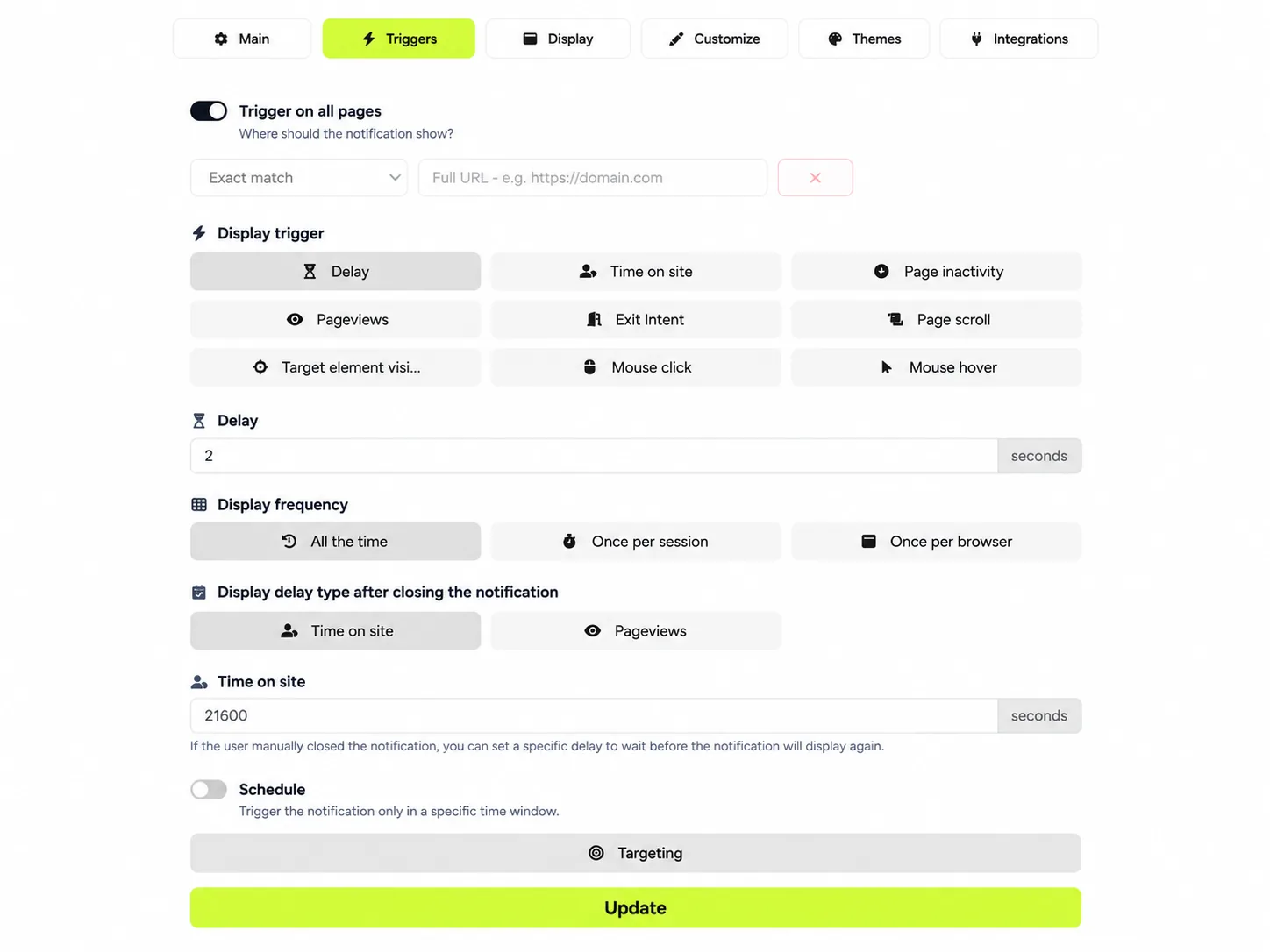
Exit intent, delay, scroll, inactivity or a click. Target the right pages and limit how often it shows. You catch leaving visitors instead of losing them.
03 / Placement
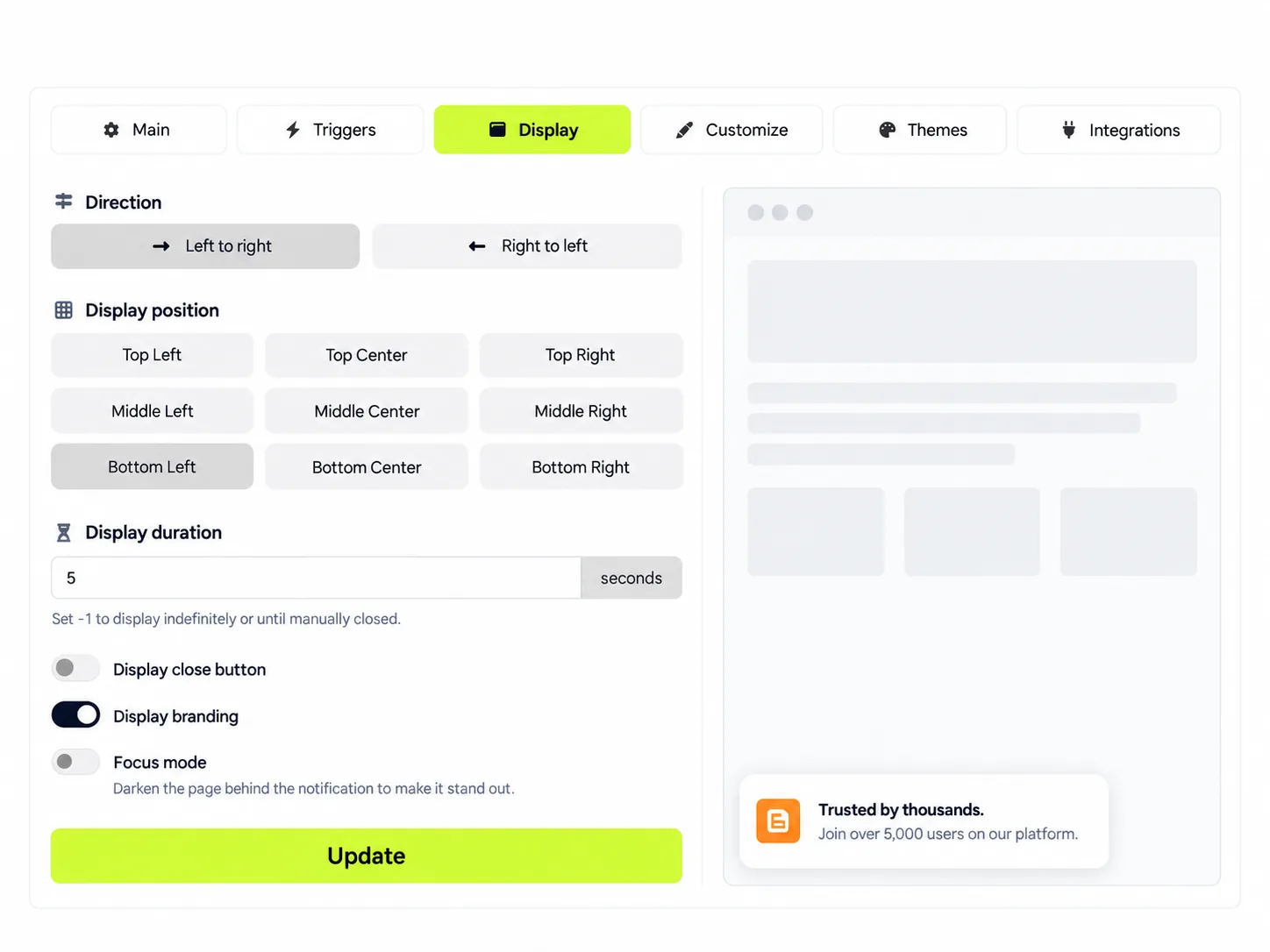
Nine positions from top to bottom, reading direction, display duration and close button. Visible enough to convert, discreet enough to keep the visit pleasant.
04 / Brand
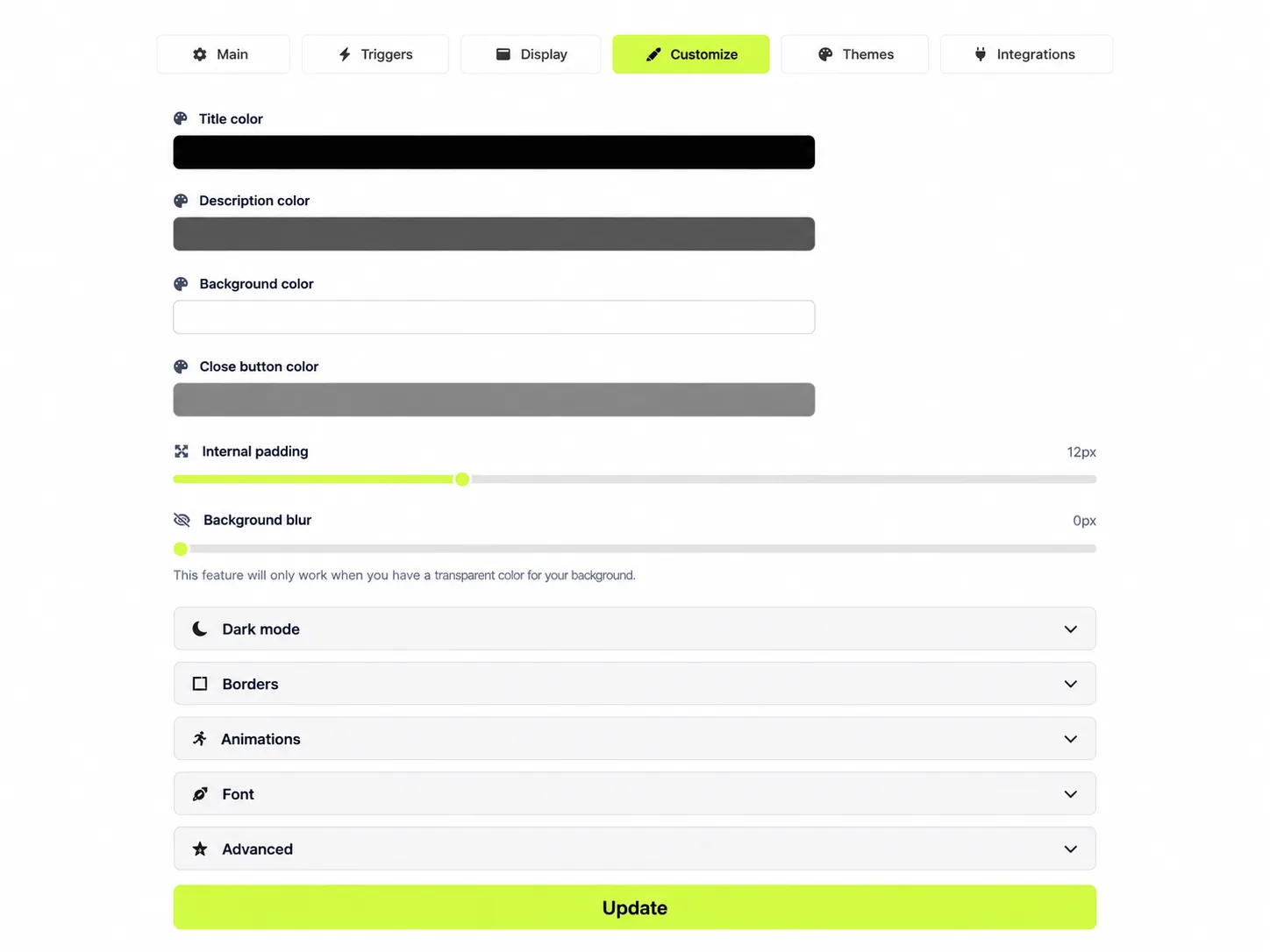
Colors, padding, blur, dark mode, animations and fonts. The preview updates instantly, so each widget looks built in, not bolted on.
05 / Live data
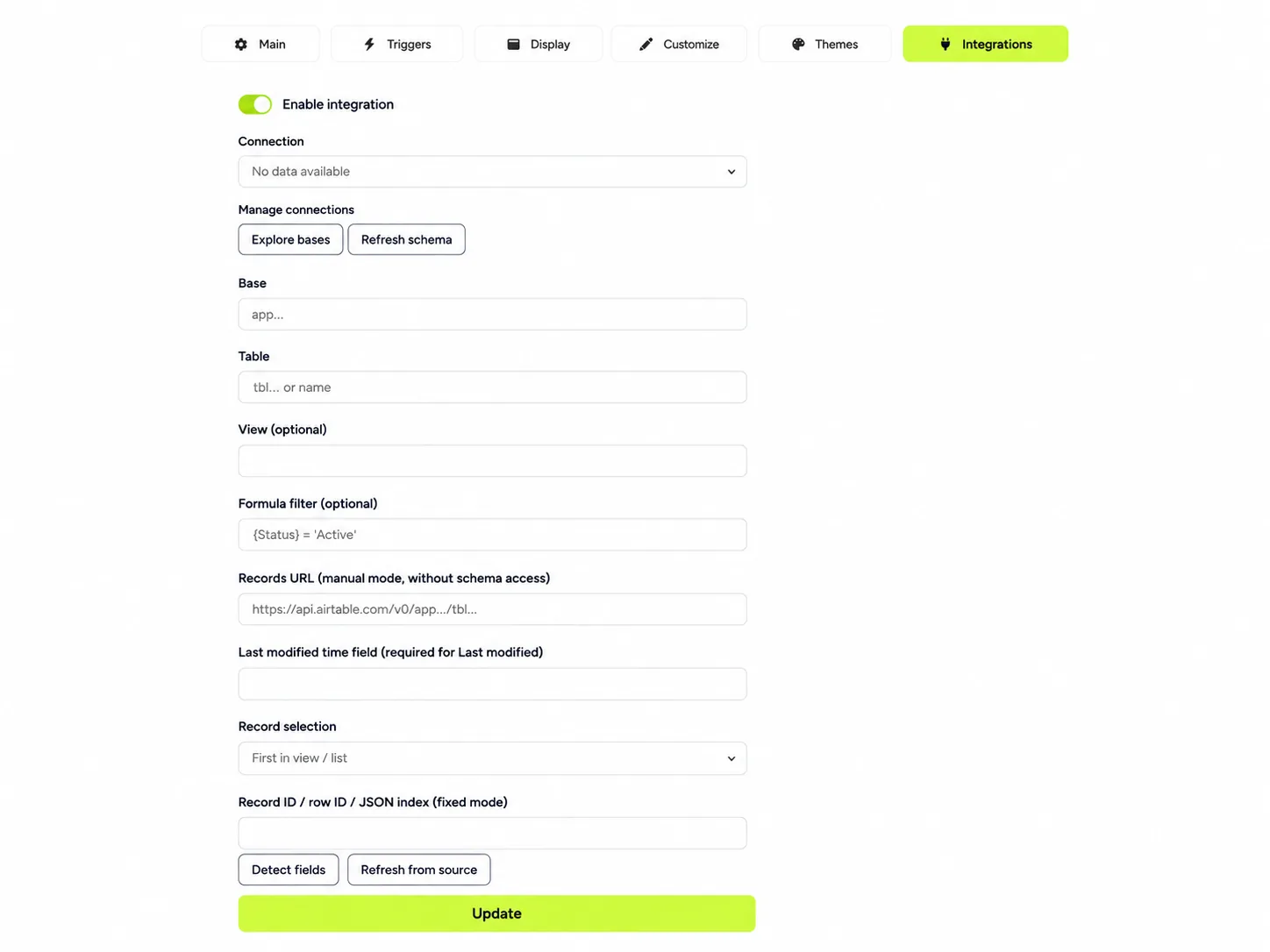
Connect Airtable, an imported CSV or a JSON API. Stock left, seats left or the latest review flows straight into the message, so urgency stays true without retyping anything.
A great offer shown too early gets closed. Triggers wait until the visitor is ready, then show the widget.
Wait until a visitor has read half the page. Interested readers see the offer, quick bouncers never do.
Exit intent catches the mouse heading for the tab bar and makes one last relevant offer.
Open a chat, a form or an offer on click. Add delay and inactivity rules, then cap how often each visitor sees it.
You get one script, deferred, pointed at that campaign’s pixel.
Add it to the site, or load it through a tag manager. Shopify, WordPress and custom sites all take the same snippet.
Page rules, triggers, audience and a schedule decide when it appears. Statistics record impressions, hovers and clicks.
Works on the site you already have
Every widget has its own statistics, so you keep what works and change what does not.
Turn more of your existing traffic into customers.
Example figures for illustration. Your dashboard shows your own numbers.
A/B tests
Test two widgets on the same site. We'll split your visitors automatically and show you which one converts better.
Variant B is likely the best (96% chance).
| Variant | Visitors | Conversions | Chance to be best |
|---|---|---|---|
| AAnnouncement bar | 4,210 | 188 (4.5%) | 4% |
| BEmail popup | 4,198 | 251 (6.0%) | 96% |
Example figures for illustration.
Pay for widgets, not for your traffic
Most popup tools charge more as your traffic grows, then switch your widgets off or bill the extra. Pro includes 500,000 impressions a month, and your widgets keep showing if a good month takes you past it.
| Entry paid plan | Price / month | Included each month | Sites | Past the limit |
|---|---|---|---|---|
| GrowthTools Pro | $12 or $10 billed yearly | 500,000 impressions | 25 | Widgets keep showing, no extra charge |
| Getsitecontrol Pro | $19 | 100,000 widget views | Priced per site | Widgets stop until next month |
| Popupsmart Basic | $39 or $32.50 billed yearly | 50,000 pageviews | 3 | $10 per extra 10,000 pageviews |
| Poptin Basic | $25 billed yearly | 10,000 visitors | 1 | Not published |
Prices published on each vendor's pricing page on 27 October 2026. They count usage differently (impressions, views, pageviews or visitors), so compare against your own traffic.
Simple pricing
Start free on one site. Move to Pro when you want more sites, more traffic and no GrowthTools branding, and to Agency when you manage many sites. Try Pro free for 14 days: card required, nothing charged for 14 days.
Everything, for one small site
No card needed
For growing sites and agencies
14-day free trial. Card required, nothing charged for 14 days
White label for agencies and high-traffic sites
Cancel anytime
Prices in USD. No overage fees. Already on Pro? Move to Agency anytime from your account: your Pro subscription stops and Agency starts the same day. Pay securely with Stripe, apply a coupon at checkout, cancel anytime from your account.
A conversion layer for a site you already have. It shows social proof, offers, lead forms, countdowns, chat and cookie notices, with rules for when each one appears.
No. You paste one deferred script, then build every widget in the dashboard. Custom HTML widgets are there if you want to write markup. Scripts inside that HTML are stripped.
Yes, on any site that can load a script. Paste it into the theme, or add it through a tag manager.
Yes. Connect Airtable, import a CSV into a data store, or point at an HTTPS JSON API. Tags fill the title, description, button text and coupon code. There is no live Google Sheets connector: export the sheet as CSV and import it, or serve the values as JSON. Keys stay on our servers. Resolved values on the pixel refresh from a five-minute cache.
Yes, with no card and no time limit: one website, 10,000 impressions a month and all 52 widget types, with GrowthTools branding. Your leads are kept for as long as you keep the account.
Your widgets keep showing and nothing extra is charged. We send you one email that month so you know. If it happens every month, Agency gives you 1,000,000 impressions and 100 sites for $37.90 a month. On the free plan, widgets pause at 10,000 impressions and come back on the first of the month.
One widget shown to one visitor. A page with no widget displayed counts nothing, and visitors who never see a widget cost you nothing.
You get every Pro feature for 14 days. A card is required, but nothing is charged for 14 days. Cancel before the end and you pay nothing; otherwise the subscription starts at $12 a month or $120 a year. If you cancel, you stay on the free plan with your widgets and leads intact.
Sign up, create a campaign, and copy the script. It looks like <script defer src="https://dashboard.growthtools.app/pixel/your-id.js"></script>. Widgets follow the rules you saved.
Long enough to get a representative sample. The test form estimates the time from your own traffic. We never name a winner before 7 days, with at least 30 results per widget and a 90% chance of being the best. Until then, the results page tells you there is not enough data.
An option for tests that use a conversion page. One visitor in ten sees none of the tested widgets, so you can compare them with everyone else and see what the widgets add. Leave it off when the widget is the only way to reach the goal, for example a gated download.
Start with a welcome message, a lead collector or an offer. Put it on the right page and watch impressions, hovers and clicks. Free forever on one site, or Pro free for 14 days.
OptinMonster alternatives · Wisepops alternatives · GrowthTools vs OptinMonster · GrowthTools vs Wisepops
How to test a campaign · Exit-intent popup guide · Social proof guide